The Comprehensive Ecosystem for ROS 2 Navigation & SLAM
🚀 Quick Start 📊 Features & Metrics 🌟 GitHub
💡 More Than a Benchmark
BenchBot is not just an evaluation tool—it is a complete lifecycle ecosystem for professional ROS 2 development. From initial integration to final validation, it empowers teams to master their navigation stack.
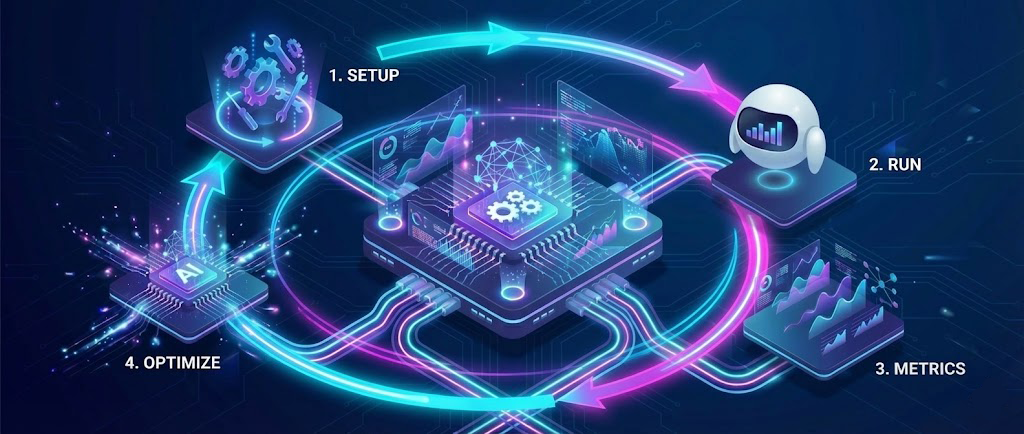
The BenchBot Workflow
- 🧩 Integrate: Plug in any SLAM algorithm or Navigation stack with our modular plugin system.
- ⚙️ Optimize: Use the AI Auto-Tuner to automatically discover the perfect parameters for your robot.
- 📈 Monitor: Track evolution with industrial-grade metrics (ATE, SSIM, Coverage) over time.
- ✅ Validate: Ensure production readiness with automated CI/CD pipelines and reproducible Docker environments.
⚡ Key Features
- Automated Metrics: Stop measuring by hand. Get ATE, RPE, SSD, and SSIM automatically.
- Comparative Analysis: Run 10 different SLAM configs and get a single PDF comparing them.
- Reproducibility:
config_resolved.yamlguarantees your experiments are repeatable.
- CI/CD Integration: Run benchmarks in Headless mode on your Jenkins/GitHub Actions runners.
- Modular Architecture: Add your own SLAM algorithm or metric with a simple plugin system.
- Rich API: Full Python API for custom automations.
- O3DE Support: High-fidelity photorealistic simulations for client demos.
- Hardware-in-the-Loop: Calibrate sensor noise models to match your real robots.
- Dockerized: Deploy on any infrastructure without dependency hell.
- Bayesian Optimization: Uses Optuna to find the perfect SLAM parameters automatically.
- Hands-Free Tuning: Define a search range (e.g.,
particles: 30-100) and let the AI maximize accuracy. - Objective-Driven: Minimizes ATE (Trajectory Error) to guarantee the best possible localization.
📐 How It Works
📚 Documentation Map
🚀 Getting Started
- Installation Guide: Setup dependencies and run your first benchmark.
- Simulators: Choose between low-poly (Gazebo) and photorealistic (O3DE).
- Quick Reference: Fast links for common tasks.
🧠 Deep Dive
- Metrics Explained: Understand ATE, SSIM, IoU, and more.
- Architecture: Learn how the orchestrator works under the hood.
- Auto-Tuner: Use AI to optimize your SLAM parameters.
🔧 Operations
- Troubleshooting: Solutions for common navigation and mapping issues.
- Headless Mode: Running benchmarks on servers without a GUI.
- Multi-SLAM: How to add and compare new algorithms.
Maintained by the Guillaume Schneider • Version 1.0